

Blackmagic Design is hosting a new series of free online seminars for DaVinci Resolve 21, designed for filmmakers, editors, colorists, VFX artists, photographers and creators who want to get the most out of the most comprehensive post production software on the market.
The seminars are 90 minutes long and cover different levels of experience, from new users to professionals who want to delve deeper into color, AI tools, camera-to-delivery workflows, and creative use of photography and video within DaVinci Resolve.
DaVinci Resolve 21 with new Photo page and AI tools
The new DaVinci Resolve 21 release brings significant additions, such as the new Photo page, over 100 new motion graphic effects and more than 50 new features. At the same time, new AI tools further enhance the creative workflow, with features such as IntelliSearch for fast content search and CineFocus for focal point adjustment.
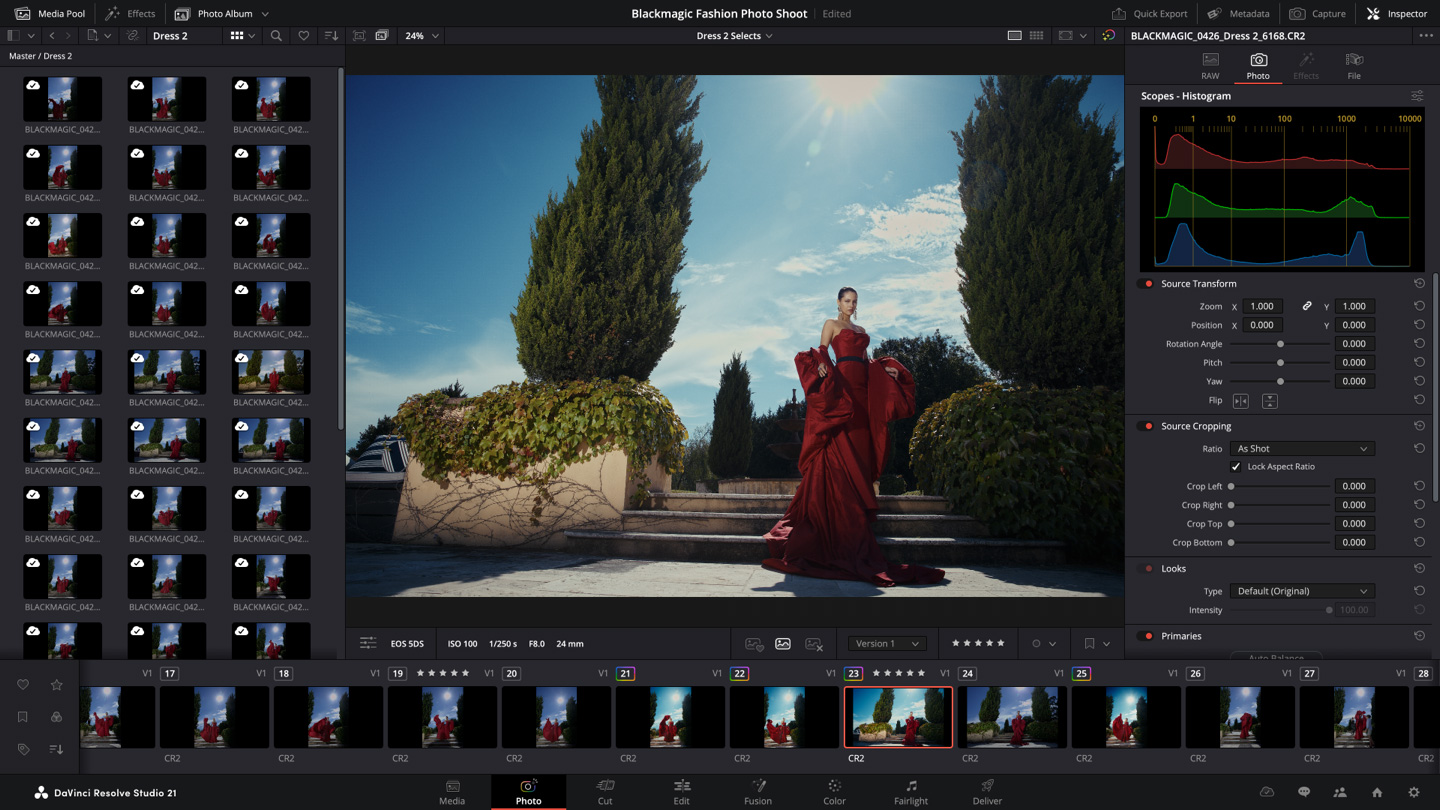
This makes the new seminars particularly useful not only for those just starting out, but also for experienced users who want to see how the new features can be integrated into real productions.
DaVinci Resolve for New Users
The first seminar, DaVinci Resolve for New Users, is aimed at those who want to get started right with DaVinci Resolve Studio 21. The presentation covers the basic pages of the software and gives a comprehensive first impression of editing, color, audio, effects and delivery.
It is ideal for new users, students, creators and professionals who want to transition to DaVinci Resolve with the right foundation.
Date: Friday, September 18
Time: 14:00 BST
Creativity from Photo to Video
The Creativity from Photo to Video seminar is of particular interest to photographers who want to expand into video, as well as filmmakers who want to better utilize still images in their projects.
The section shows how DaVinci Resolve's color tools can be used for photos, how images are organized and edited, and how AI-powered color and cinematic effects help integrate stills into more complete video projects.
Date: Friday, September 25
Time: 14:00 BST

Color Fundamentals for Editors
Color Fundamentals for Editors is a basic workshop for editors who want to better understand color correction and grading in DaVinci Resolve. The module focuses on how to balance and match footage from different cameras before the more creative grading begins.
For editors who have until now worked mainly on the timeline, this seminar is a great opportunity to enter the world of color more effectively, utilizing the advanced tools of DaVinci Resolve.
Date: Friday, October 23
Time: 14:00 BST
Switching to DaVinci Resolve
The Switching to DaVinci Resolve seminar is designed for editors coming from other editing systems and looking to transition to DaVinci Resolve. It covers the general logic of the interface, organizing tools, managing media, preparing timelines, and creating collaborative projects for teams.
It is particularly useful for post production teams, agencies, editors and studios that are considering the transition to a single environment for editing, color, audio and finishing.
Date: Friday, October 30
Time: 14:00 GMT
Workflows from Camera to Delivery
Workflows from Camera to Delivery presents a complete post production workflow, from import to final delivery. Attendees will see how media is organized and managed, how editing and grading Blackmagic RAW camera original files are done, how the audio mix is completed, and how the final project is delivered without leaving DaVinci Resolve.
This module is ideal for those who want to understand the complete production-to-post workflow of Blackmagic Design.
Date: Friday, November 20
Time: 14:00 GMT
Work Smarter with AI Tools
The latest seminar, Work Smarter with AI Tools, focuses on the tools of the DaVinci AI Neural Engine. Features such as Object Removal, IntelliScript, IntelliSearch, Magic Mask, Voice Isolation and cinematic effects will be presented.
The key value of these tools is that they can reduce repetitive and time-consuming tasks, giving editors and creators more time for the creative part of production.
Date: Friday, November 27
Time: 14:00 GMT
See here more of our articles.
Learn more at www.blackmagicdesign.com
Η Comart, official reseller of products Blackmagic Design, has many years of experience in the field broadcast, video editing and professional post-production solutions. We are by your side with specialized advice, immediate support and service to help you achieve your creative goals.